Flow agents (graph)
Multi-context Flow agents (graph builder)
Most agents are single-context: one system prompt, one brain, one voice, answering whatever the caller asks. That's the standard builder, and it's the right choice for a focused assistant.
A multi-context Flow agent is built as a visual graph instead. You lay out the call as nodes — say this, ask that, branch here, call this function, transfer there — and connect them with edges that decide what happens next. Each node can carry its own prompt, model, voice, tools and knowledge, so the agent switches "mode" as the conversation moves through the graph. This is what you want for branching, multi-step calls: booking, triage, qualification, surveys, IVR-style routing.
The Flow graph is stored on the agent under
metadata.flow(published) andmetadata.flowDraft(work in progress). A flow with a single node and no edges runs identically to a single-context agent — so converting between the two is lossless.
When to use a Flow agent
| Use a single-context agent when… | Use a Flow agent when… |
|---|---|
| One persona handles the whole call | The call has distinct stages that need different instructions |
| Branching is light and the LLM can manage it from the prompt | You need deterministic routing (press 1, qualified vs not, tool succeeded vs failed) |
| You want the simplest thing to maintain | You want to collect fields step-by-step, gate on them, and branch |
You don't have to choose up front — any single-context agent can be opened on the canvas later (see Converting an existing agent).
Creating a Flow agent
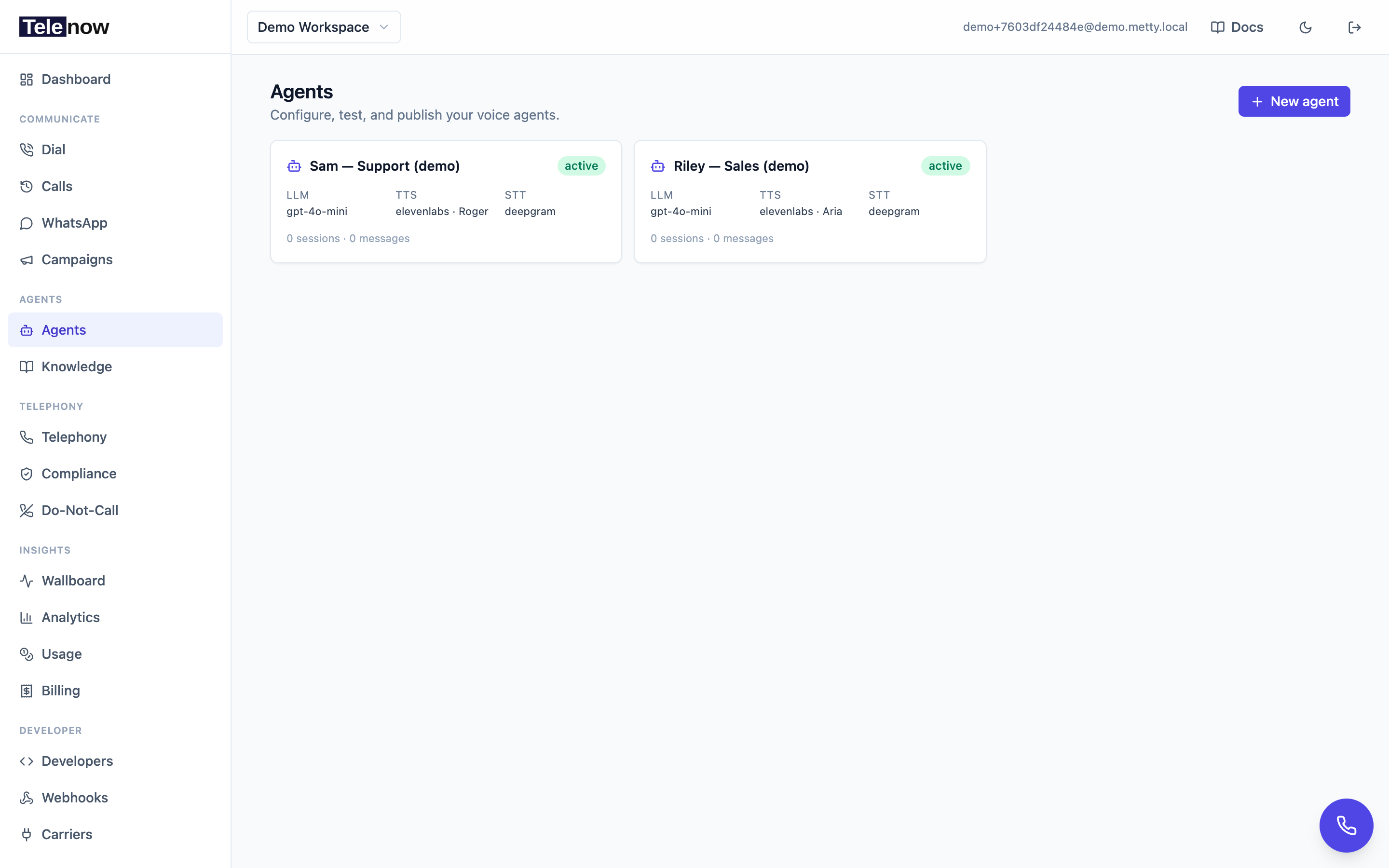
From Agents → New agent, the create chooser offers two types. Pick Multi-context flow ("A visual graph for branching calls"), then start blank or from a flow template. You land on the canvas builder.
Converting an existing agent
Open any agent's detail page and click Convert to multi-context (on an agent that is already a flow the same button reads Edit on canvas). The single-context config (prompt, brain, voice, tools, knowledge) becomes the Global Settings of a one-node flow, which you then branch out. Because a one-node flow is equivalent to the single-context agent, nothing is lost in the conversion.
The canvas
The builder is a graph editor:
-
Begin — a fixed marker showing where every call starts. The arrow out of Begin points at the Start node. Select any node and choose Make start to move it.
-
Nodes — the steps of your call. Drag from the palette to add one; drag a node to reposition; drag from a node's handle to another node to connect them.
-
Edges — the arrows between nodes. Each edge carries a condition that decides whether the call follows it (see Edges & routing).
-
Inspector — selecting a node or edge opens a right-hand panel with its full configuration.
-
Global Settings — the right panel's first tab holds the agent-level defaults (name, channels, opener, default model/voice/STT, behaviour, knowledge, post-call analysis, caller memory, context variables). Nodes inherit these unless they override them. The Greeting section sets the opener the agent speaks on connect, per call direction — a separate toggle and text for inbound calls (someone calls the agent) and outbound calls (the agent dials out on campaigns, follow-ups, or API/workflow calls). Turn a direction off to have the agent wait for the other party. The Begin node on the canvas previews the inbound opener.
Above the Global prompt box, Generate the global prompt from a brief writes the agent-level prompt from who the agent is, its standing rules, and its guardrails. It deliberately asks nothing about your workflow and won't write any steps: the global prompt is prepended to every node, so a version that also narrated the sequence would push the agent ahead of the step it is actually on. Steps belong on the canvas, and in each node's own prompt.
-
Test Agent — the second tab runs a browser test call against the current draft, exactly like testing a single-context agent.
-
AI Copilot — a drawer where you describe what you want and the copilot adds, connects and configures nodes on the canvas for you. See Building with the AI Copilot.
A flow can have up to 100 nodes and 300 edges.
Node kinds
Drop these from the palette. Every node can be given a name (its label on the canvas) and most accept per-node overrides.
| Node | Palette label | What it does |
|---|---|---|
| Conversation | Conversation | A free-form turn with its own prompt — the agent talks and listens here. The workhorse node. |
| Subagent | Subagent | A self-contained sub-conversation with its own goal, prompt and tools that returns control when done. |
| Say | Say | Speaks a fixed line (no LLM call) — a deterministic announcement, then moves on. |
| Play Audio | Play Audio | Plays a recording you uploaded — your own voice or a produced message, not TTS. Waits for it to finish, then moves on. See Play Audio. |
| Logic Split | Logic Split | A pure routing node (no speech): evaluates its outgoing conditions and jumps. |
| Function | Function | Calls one of the agent's tools (HTTP or connector) and routes on the result. |
| Code | Code | Runs a snippet of JavaScript in a hardened sandbox to transform variables / decide routing. See the Code node. |
| Extract Variable | Extract Variable | Captures one or more typed variables (string / number / boolean / enum) from the conversation for later conditions. |
| Press Digit | Press Digit | Collects a DTMF keypad digit and routes on it (IVR menus). See Keypad menus. |
| Call Transfer | Call Transfer | Warm/cold transfer to a human or department (multiple destinations, between-message, no-answer fallback). |
| Agent Transfer | Agent Transfer | Hands the live call to another AI agent — swaps brain/voice/tools while keeping the caller and context. |
| Ending | Ending | Ends the call gracefully, with an optional closing line. |
| Note | Note | A canvas-only sticky note for documentation. Never executed. |
Per-node overrides
Open a node in the Inspector and you can override the agent defaults just for that node:
- Prompt — extra instructions, either appended to the Global Settings prompt (default) or replacing it for this node. Above the box, Write this step's instruction generates it from a one-line goal: it reads the transitions leaving this step off the canvas and writes an instruction that makes each branch decidable, using this node's own tools. Because the global prompt is already prepended at runtime, the generated text won't repeat the persona — and it never names another step, since the graph does the routing.
- Model / Voice / Transcription — run a node on a different LLM, speak it in a different voice, or transcribe it differently. Omit to inherit.
- Knowledge bases — scope RAG for this node: pick which of the agent's bases the step reads, and optionally which of their documents. Leave every box unchecked to inherit the agent's knowledge as-is. A step can only narrow what the agent has — the picker lists only the agent's attached bases, and within them only the documents the agent still allows, because anything else would tick, save, publish, and then retrieve nothing on a live call.
- Tools — make only certain tools available here.
- Line spoken on arrival — a line spoken the moment the call reaches the node, before it does anything else. On a step that waits for the caller, the line is followed by silence until they speak — right when the line is the question ("What's your number?"), wrong when it only hands over ("Great — let's get you booked."). For the second kind, turn on Then let the AI carry on from that line: the line is spoken and the model continues from it in its own words, without waiting. Leave it off on any line that ends in a question mark, or the agent talks over the answer. (A Say step is the other shape: it speaks its line and moves on to the next step by itself. It now finishes speaking before the call advances, so a Say step wired straight into End is heard in full before the goodbye.)
This is the whole point of multi-context: a qualification node can run a cheap fast model with a terse prompt, while a closing node uses your best model and warmest voice.
Edges & routing
An edge connects a source node to a target node and carries a condition. When a node finishes, Telenow evaluates its outgoing edges in priority order (lower number first) and follows the first one that matches.
| Condition | Fires when |
|---|---|
| Always | Unconditionally — a straight-through step. |
| Equation | A boolean expression over extracted variables is true (e.g. age >= 18, plan == "pro"). |
| Tool result | The preceding Function/tool call returned a matching result (success/failure or a value match). |
| DTMF | The caller pressed a specific keypad digit. |
| AI | A routing model decides this edge matches the caller's intent — you describe the intent in plain language and give example utterances. |
| Fallback | Nothing else matched — the catch-all. Essential on a step that doesn't wait for the caller (Function, Say, Play Audio, Code, Logic Split), which otherwise stops in silence. But a fallback beats every AI exit on the same step — see below. |
Extract → branch. To branch on equation conditions, capture the value first with an Extract Variable node (or an extract on a Conversation node), then write the expression on the edge.
The routing model. ai edges are evaluated by a router model. Set it in Global Settings to the platform model, the agent's model, or a specific provider/model. A Logic Split node can use its own model for finer control.
A Fallback exit cancels the AI exits on the same step. Exits are tried in classes, not as one list: keypad, then the rule classes (always / equation / tool_result), then fallback, and the AI router is asked only if none of those produced a target. A fallback always produces one, so a step carrying both a fallback and AI exits resolves through the fallback on every turn and the AI exits never fire. Use one or the other on a given step. (A fallback pointing back at its own step is the exception — a self-target is treated as "no transition", so the AI router still runs.)
AI decisions are limited to 12 per call. One shared budget covers AI exits, Extract steps, and Anytime triggers, and it is not refilled per turn — only on a handoff to another agent. Each caller turn at a step with AI exits spends one. When it runs out the call stops moving between steps and stops capturing variables, with nothing said to the caller. Prefer a keypad or rule exit wherever a branch can be decided without the model: those are free and unlimited.
Play Audio steps
A Play Audio step plays a file you uploaded instead of synthesising speech. Reach for it when the wording, the voice or the recording itself has to be exact — a compliance disclosure, a jingle, a message recorded by your own team.
Pick the recording from your organisation's audio library (the same library the Background sound setting uses). Upload WAV or MP3, 5 seconds to 5 minutes; Telenow normalises it to the call format on upload, so no particular sample rate is required.
The step plays the file, waits for it to finish, then follows its outgoing edges like any other pass-through step. Give it an always edge to continue.
- Say something first (optional) is spoken by the agent's TTS voice before the recording.
- The caller can interrupt it, exactly as they can interrupt the agent's own speech.
- It lands in the call recording like any other agent audio.
- Publish is blocked while a Play Audio step has no recording selected — a trackless step would play nothing and move straight on, which on a live call is indistinguishable from a broken voice.
Keypad menus (Press Digit)
A Press Digit step holds the call while the caller keys a digit, then routes on DTMF edges out of it (press 1 → …, press 2 → …).
Write the menu itself in the step's entry message ("Press 1 to confirm, 2 to cancel"). Keypad capture arms itself — any flow containing a DTMF edge turns it on, collecting one digit.
Route the keypress without asking the AI
On by choice, off by default. With it on, the digit selects its edge directly: no model call, no spoken reply, no added latency.
Leave it off and the agent takes a full AI turn on every press — including valid ones, because routing only happens after the turn — so the caller may hear an improvised sentence over the next step's line, and you pay a model round trip per press. Turning this on is recommended for any real menu.
Instructing the model to stay quiet in the step's prompt does not achieve this: the global prompt still applies. The setting is what skips the model call.
Ignore anything the caller says (keypad only)
Route-only removes the model from the keypad path. Speech arrives by a different route — so a caller who says "hello?" instead of pressing still gets a full AI turn on a step designed to say nothing.
Ignore anything the caller says closes that: speech on this step is dropped. No AI turn, no reply, no cost. It still appears in the call transcript, so you can see what they said.
With both settings on, the step reaches the model never — which is what makes a fully LLM-free IVR possible (see below).
The trade is one-directional and worth deciding deliberately: a caller who says "one" instead of pressing it gets nothing back. Keep the no-input reprompt on so they're told to use the keypad rather than met with silence.
Building an IVR with no AI at all
A flow can run a call end to end without a single model call. These pieces are already model-free:
- Play Audio and Say steps — playback and TTS only
- Press Digit with route the keypress and ignore anything the caller says
always/equation/dtmf/fallbackedges — evaluated in-process- Function steps — a plain HTTP call
- The no-input reprompt, provided you type the line (see below)
- The silence hang-up line
Five things quietly bring the model back, so a no-AI flow must avoid all of them:
- A blank reprompt line. Blank means "generate an are you there? in the caller's language" — a model call each time it fires. Always write the text.
- Any AI edge. One is enough to arm the routing model for that step.
- A global step with a condition. These feed the same router even when you have no AI edges at all.
- Conversation, Subagent or Extract steps. Model-driven by definition — and you don't need an Extract to capture the digit; the keypad edge already routes on it.
- The opener. Give the agent fixed opening text (or pass
firstResponsewhen you start the call). Leaving the agent to greet is a turn.
Speech-to-text still runs on a keypad-only step — the audio is transcribed and then dropped — so transcription is billed even though the model is not. Post-call analysis is per-agent and off unless you enable it.
If the caller presses nothing
Repeat the menu if the caller presses nothing speaks a line after a wait you choose (5–120 seconds), then repeats it roughly every 15 seconds until they press a key. Any keypress cancels it. Leave the line blank and the agent improvises an "are you there?" in the caller's language instead of re-reading the options — usually not what a menu wants.
Pair it with Hang up if the caller never presses anything. Without that, an unanswered menu holds the line open — and billing — until the call's maximum duration.
If the caller presses a digit you haven't mapped
Give the step a Fallback edge, pointing at a "Sorry, I didn't get that" Say step that loops back to the menu. That is the invalid-key branch, and it is deterministic.
Put the fallback on the Press Digit step, not on a Say step carrying the DTMF edges. A Say step advances as soon as it can, so an
always/fallbackedge there fires the instant its line finishes — before the caller can press anything — leaving the keypad edges unreachable. A Press Digit step waits by design.
Global nodes (jump from anywhere)
Mark a node global and the agent can jump to it from any point in the call when its trigger matches — handy for "what are your hours?", "talk to a human", "cancel that". A global node carries:
- Condition / examples — when to jump in (a description plus example utterances).
- Go back — return to the previous node after the global node runs (an interjection) versus staying.
- Re-trigger guard — pause re-triggering for the next N steps so it doesn't fire repeatedly.
The Code node
The Code node runs untrusted JavaScript in a hardened sandbox to transform variables or compute a routing decision — no network, filesystem, or host access. Read inputs as dv.<name> (data variables) and return an object to write variables back. It's metered and capped per turn. See the sandboxed code tool for the execution contract and limits.
Building with the AI Copilot
The canvas has the same AI Copilot as the single-context builder, opened from the toolbar. Describe the call —
"Greet the caller, ask if they're an existing customer, route new customers to a qualification flow and existing ones to support, and offer a transfer to a human at any point."
— and the copilot adds the nodes, wires the edges, and fills in prompts and conditions on the canvas. Every change lands in the draft for you to review and adjust; nothing is published automatically. The copilot is available to demo accounts too, so you can try "describe it → watch it build" in the sandbox.
Draft, publish & validation
The Flow builder autosaves your work-in-progress locally and (for a saved agent) to the server draft (metadata.flowDraft) — separate from the published graph (metadata.flow) that live calls use.
- Save draft — store progress without affecting live calls. An Unpublished changes badge shows when the draft is ahead of what's live.
- Publish — promote the draft to live. Publishing is blocked while the flow has validation issues (a count of items "to review" is shown). This matters: an invalid flow would fall back to single-context at runtime, so the builder makes you resolve issues first.
Validation checks the graph the same way the backend does (a reachable start node, no dangling edges, within the node/edge caps, every branch resolvable). Fix the flagged items and Publish enables.
Versioning
Like single-context agents, every publish is a version. Roll back the whole graph from the agent's Version history — restoring appends a new version, so nothing is ever lost.
How a Flow call runs
At runtime the agent enters the Start node, runs it (speaks / listens / calls a tool / runs code per its kind), then evaluates that node's outgoing edges to pick the next node — repeating until an Ending node, a transfer, or the caller hangs up. Global nodes can interject at any step. The same STT → LLM → TTS pipeline and barge-in apply throughout; only the context (prompt, model, voice, tools, knowledge) swaps as the call moves between nodes.
Latency: how routing stays fast
Flow routing is engineered to stay off a turn's critical path. What the platform does automatically:
- Deterministic edges are free.
always/equation/dtmf/tool_resultconditions are evaluated in-process — no model call, no added latency. Prefer them wherever a branch is expressible as a rule. - Inline routing (default ON). On a step whose outgoing transitions are all AI-based, the step's own model picks the next step inline during its reply — no separate routing call at all. Turn it off per flow in Global Settings → Call Settings ("Inline routing") if you want routing decoupled from the conversation model; the platform classifier then routes after each reply. Note: inline routing spends its (few) routing tokens on the step's conversation model — on your key if that model is BYOK — whereas the separate classifier runs on platform models.
- Routing + extraction run together. When a step both extracts variables and AI-routes, the two classifications run concurrently (or as one merged call), not back-to-back.
- The routing model is yours to pick. In Global Settings → Call Settings ("Routing model"): the platform default (fast + cheap), the agent's model, or a specific OpenAI / Groq / Anthropic model on platform keys. Routing is classification, not reasoning — pick a small, fast model.
- Entry lines are pre-synthesized. A step's entry message with no
{variables}is rendered to audio at call start and plays instantly on arrival; variable-bearing lines are pre-rendered as the call approaches the step. The ⚡ badge on a canvas node summarizes what that step adds to a turn. - Provider switches are pre-warmed. When a step switches voice or model, the next likely steps' providers are initialized in the background before the call gets there.
Measure it: every call's Call Detail → Latency breakdown shows a Flow routing bar (time turns actually waited on routing — for most turns it's zero because classification overlaps the caller's think-time), and the agent's Analysis tab averages it across calls. The per-call debug timeline breaks each hop into decision, node-enter, and entry-line spans.
See also
- Building agents — the single-context builder and every shared setting (these become a Flow agent's Global Settings).
- Tools & function calling — tool/Function node contract and the Code node sandbox.
- Agent versioning — restore a previous published graph.
- Templates — start a flow from a ready-made graph.