Agent versioning
Agent versioning
Every time you save an agent, Telenow keeps a complete, immutable snapshot of how it was configured at that moment. Tweak a prompt, swap a voice, add a tool — each save becomes its own version you can inspect, compare, and roll back to with one click. Nothing you save is ever lost, so you can experiment freely and undo with confidence.
There is nothing to turn on: versioning is automatic for every agent. You'll find the full history on the agent's detail page under the Versions tab.
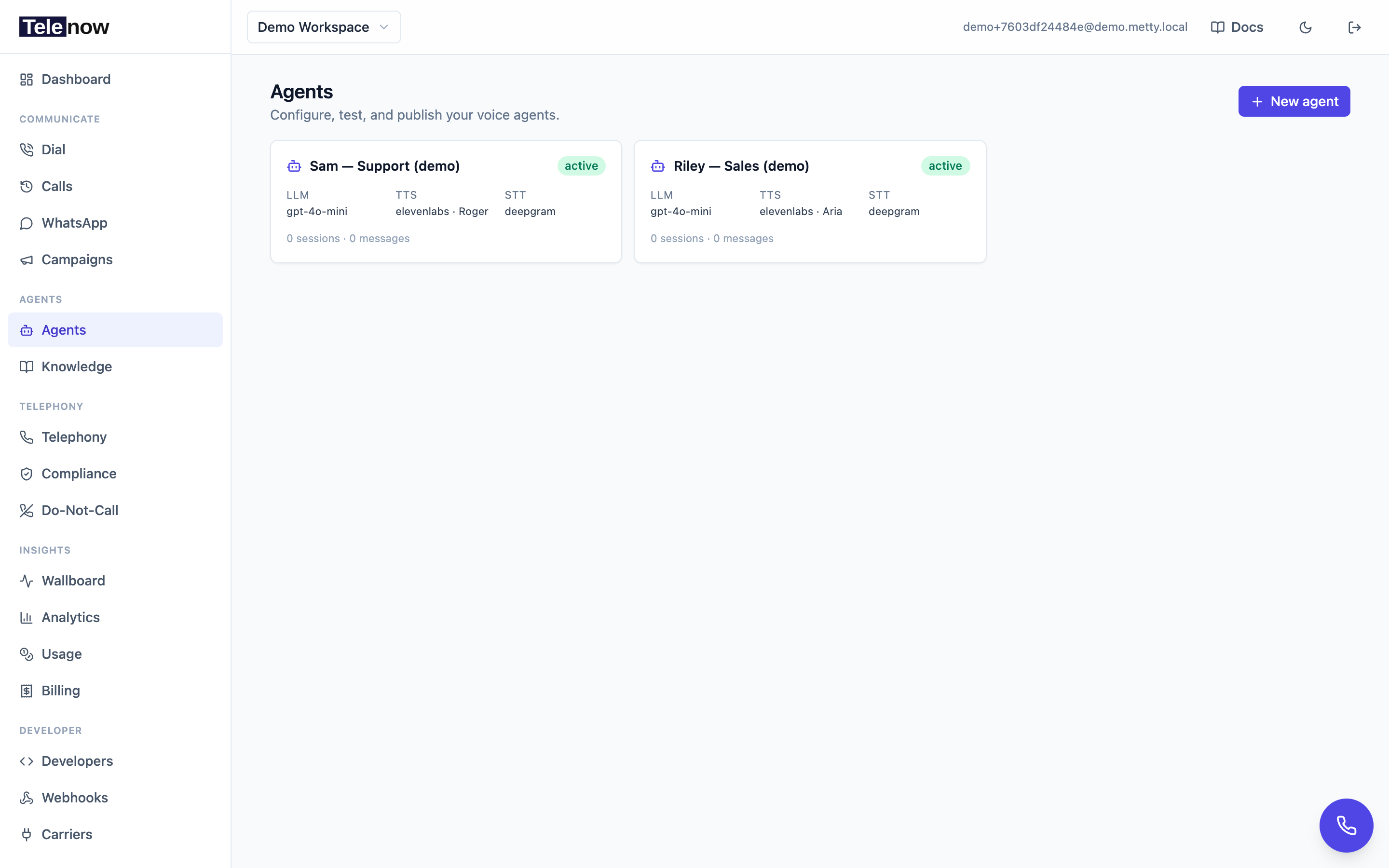
Open any agent from the Agents page, then switch to the Versions tab to see its history.
How it works
- Every save makes a version. Each time you save in the agent builder (or update the agent over the Agents API), Telenow appends a numbered snapshot — v1, v2, v3, … The snapshot captures the entire configuration: name, system prompt, opener, LLM / STT / TTS providers and their settings, knowledge attachments, tools, pre-call lookups, post-call analysis and caller-memory settings, channels, and context variables.
- Snapshots are immutable. A version is a frozen copy. Editing the agent never changes an existing version — it only creates a new one.
- History is linear. Versions only ever go forward. Even a Restore (see below) appends a new version rather than rewriting the past, so undoing a restore is just another restore.
- Secrets are never exposed. Any stored API keys / bearer tokens inside a snapshot are encrypted at rest and are masked (shown as
•••) anywhere the history is displayed — including the diff. You can compare configurations safely without leaking credentials.
Agents created before versioning shipped start their history on your next edit. The first time you save such an agent, Telenow captures the pre-edit state as a baseline version (noted "pre-edit state") so that very first change is still recoverable, then records your edit on top.
The Versions tab
Open an agent (Agents in the sidebar → click the agent) and select the Versions tab. You'll see every version listed newest-first, each row showing:
| Column | What it shows |
|---|---|
| vN | The version number (a green current badge marks the version your agent is running right now). |
| Name + model | The agent's name at that version, with its LLM model alongside. |
| Saved at | The exact date and time the version was created, in your local time. |
| Saved by | The email of the teammate who made the save (so you always know who changed what). System-generated versions show as system. |
| Note | A short note for some versions — e.g. restore of v4 for a restore, or pre-edit state for the legacy baseline. |
| Restore | A one-click rollback button (shown on every version except the current one). |
Click the chevron on the left of any row to expand it. The expanded panel has two side-by-side sections: What changed and Performance.
What changed (the diff)
This is a field-level comparison of the version against the one immediately before it — exactly what that save altered, and nothing else. Each line reads:
System prompt    You are a helpful…  →  You are Maya, a friendly…
TTS voice        Rachel              →  Adam
LLM model        gpt-4o-mini         →  gpt-4o
The diff is curated to the settings that matter, so it stays readable. It covers:
- Name, Description, System prompt, and Greeting (the opener)
- LLM provider & model, STT provider, TTS provider & voice
- Changes inside the provider configs (LLM config, STT config, TTS config, Session config — e.g. context mode, max duration, interruption sensitivity)
- Tools, Channels, Variables (context variables), Pre-call lookups, and whether Post-call analysis was turned on or off
A few details worth knowing:
- Secrets show as
•••. Because stored keys are encrypted with a fresh nonce on every save, they're masked before comparison — so re-saving without touching a key won't show a phantom "change," and no credential can leak through the diff. - Long values are shortened (trimmed with a
…) so a 2,000-character prompt change doesn't flood the row. - v1 is compared against an empty baseline, so it lists everything as freshly added.
- If a save didn't change any tracked field, you'll simply see "No tracked fields changed."
Performance vs. previous
Was the change an improvement? This section answers that without you having to dig through the call log. Telenow defines each version's live window — the span from when it was created until the next version was saved (the current version runs up to now) — and aggregates the calls handled during that window, side by side with the previous version's window:
| Metric | Notes |
|---|---|
| Calls | How many calls the version handled while live. |
| Avg duration | Average call length. |
| Avg response | Average end-to-end response latency (ms). |
| STT / LLM / TTS latency | Average per-stage latency (ms) for transcription, the model, and speech. |
| Answered rate | Share of calls (with a disposition) that were answered. |
| Avg quality score | Average LLM-judge quality score for the window. |
| Total charge | Total spend across the window's calls. |
| Sentiment | Counts of positive / neutral / negative calls. |
A Δ (delta) column shows the change versus the previous version, colour-coded: green where the version did better (more calls, faster latency, higher score, lower cost) and red where it did worse. A small caption under the table shows the exact window dates the numbers cover.
A few things to keep in mind when reading this:
- Latency, score, sentiment, and quality numbers depend on post-call analysis. If analysis isn't enabled for the agent, those columns will be sparse or empty — but calls, duration, answered rate, and charge are always available.
- If no calls ran while a version was live (e.g. you saved twice in a row, or the agent is brand new), you'll see "Not enough data — no calls while this version was live." The fairest comparisons come from versions that each stayed live long enough to take real traffic.
- The first version has no previous window, so its Previous column reads
—.
Restoring a version
Found a version that worked better? Roll the whole agent back to it in one click:
- On the Versions tab, find the version you want and click its Restore button.
- A confirmation dialog explains exactly what will happen — the agent's live configuration (prompt, models, voice, tools, analysis settings) is replaced with that snapshot.
- Click Restore to confirm.
What happens next:
- The restore is instant. New calls pick up the restored configuration immediately.
- Calls already in progress are not affected — they finish on the configuration they started with.
- The restore is recorded as a brand-new version at the top of the list, noted "restore of vN." Your most recent state stays in history untouched, so a restore is fully reversible — if it wasn't what you wanted, just restore the prior version.
Restoring writes back the snapshot exactly as it was stored, including its provider keys (which stay encrypted throughout — they're never decrypted or re-shown during a restore).
Who can restore. The Restore button is available to teammates with the manage agents permission (developer and admin roles). Anyone on the team can open the Versions tab and read the history, diffs, and performance. See Team & workplace for roles.
Versioning over the API
The Versions tab is backed by four dashboard endpoints. They all require your session (JWT) and operate within your active organization, and — like all dashboard routes — return { "success": true, "data": { … } }.
List versions — newest-first summaries (up to the 100 most recent):
GET /api/agents/{id}/versions
{
  "success": true,
  "data": {
    "versions": [
      {
        "version": 7,
        "note": "restore of v4",
        "createdAt": "2026-06-13T09:12:04Z",
        "name": "Support Maya",
        "llmModel": "gpt-4o",
        "ttsVoice": "Rachel",
        "savedByEmail": "[email protected]"
      }
    ]
  }
}
Diff a version against the one before it (from / to are short display strings; secrets masked):
GET /api/agents/{id}/versions/{version}/diff
{
  "success": true,
  "data": {
    "changes": [
      { "path": "TTS voice", "from": "Rachel", "to": "Adam" },
      { "path": "LLM model", "from": "gpt-4o-mini", "to": "gpt-4o" }
    ]
  }
}
Performance of a version's live window vs. the previous version's:
GET /api/agents/{id}/versions/{version}/perf
{
  "success": true,
  "data": {
    "current": {
      "calls": 142,
      "avgDurationSec": 96.4,
      "avgRespMs": 880,
      "avgSttMs": 210,
      "avgLlmMs": 540,
      "avgTtsMs": 180,
      "answeredRate": 0.78,
      "avgScore": 82,
      "sentimentPositive": 91,
      "sentimentNeutral": 38,
      "sentimentNegative": 13,
      "totalChargeUsd": 4.12,
      "fromTs": "2026-06-10T00:00:00Z",
      "toTs": "2026-06-13T09:12:04Z"
    },
    "previous": { "...": "same shape, or null for v1" }
  }
}
Restore a version (appends a new version and returns the restored agent):
POST /api/agents/{id}/versions/{version}/restore
curl -X POST https://api.telenow.ai/api/agents/AGENT_ID/versions/4/restore \
  -H "Authorization: Bearer YOUR_SESSION_TOKEN"
The response data is the full restored agent object. The latency and aggregate fields in perf may be null when post-call analysis hasn't populated them.
Tips
- Make one meaningful change per save when you're tuning. A version that bundles a prompt rewrite and a voice swap and a model change makes the diff and the performance comparison harder to attribute.
- Let a version run before judging it. Give each version enough live calls to produce a fair performance window before you decide whether the change helped.
- Add a recognizable name to the agent before a big experiment so the version rows read clearly later.
- Restore freely. Because every restore is itself a reversible version, rolling back is low-risk — you can always return to where you were.
Troubleshooting
- "No versions yet." The agent hasn't been saved since versioning shipped. Make any edit and save — the first save starts the history (and captures the pre-edit baseline for older agents).
- Performance shows "Not enough data." No calls ran while that version was live. Compare versions that each took real traffic, and confirm calls are actually reaching the agent (see Phone numbers and Making calls).
- Latency / score / sentiment columns are empty. Those metrics come from post-call analysis — enable it on the agent's Analysis step to populate them.
- I don't see a Restore button. Restore needs the manage agents permission; ask an admin to grant your role, or have them perform the restore. See Team & workplace.
- A change I expected isn't in the diff. The diff tracks the key configuration fields (listed above); some secondary fields aren't shown individually. Re-saving without touching an encrypted key also won't appear, by design.
Related
- Building agents — the builder that produces each version.
- Post-call analysis — powers the latency, sentiment, and quality numbers in the performance comparison.
- Team & workplace — roles and the manage agents permission that gates restore.
- Agents API — the programmatic surface for reading and updating agents.