Phone numbers
Phone numbers
To take or place real phone calls, an agent (or a team member) needs a phone number. Telenow gives you three ways to get one:
- Buy a number from a connected carrier (Plivo, Twilio, Vobiz, Exotel, Vonage). Tata Tele Smartflo is BYOC-only — you bring numbers you already own there; you cannot buy one through Telenow.
- Bring your own carrier (BYOC) — connect your existing carrier account and import the numbers you already own.
- Attach a DID to a SIP trunk — for numbers that route over your own telco/PBX, entered manually per trunk.
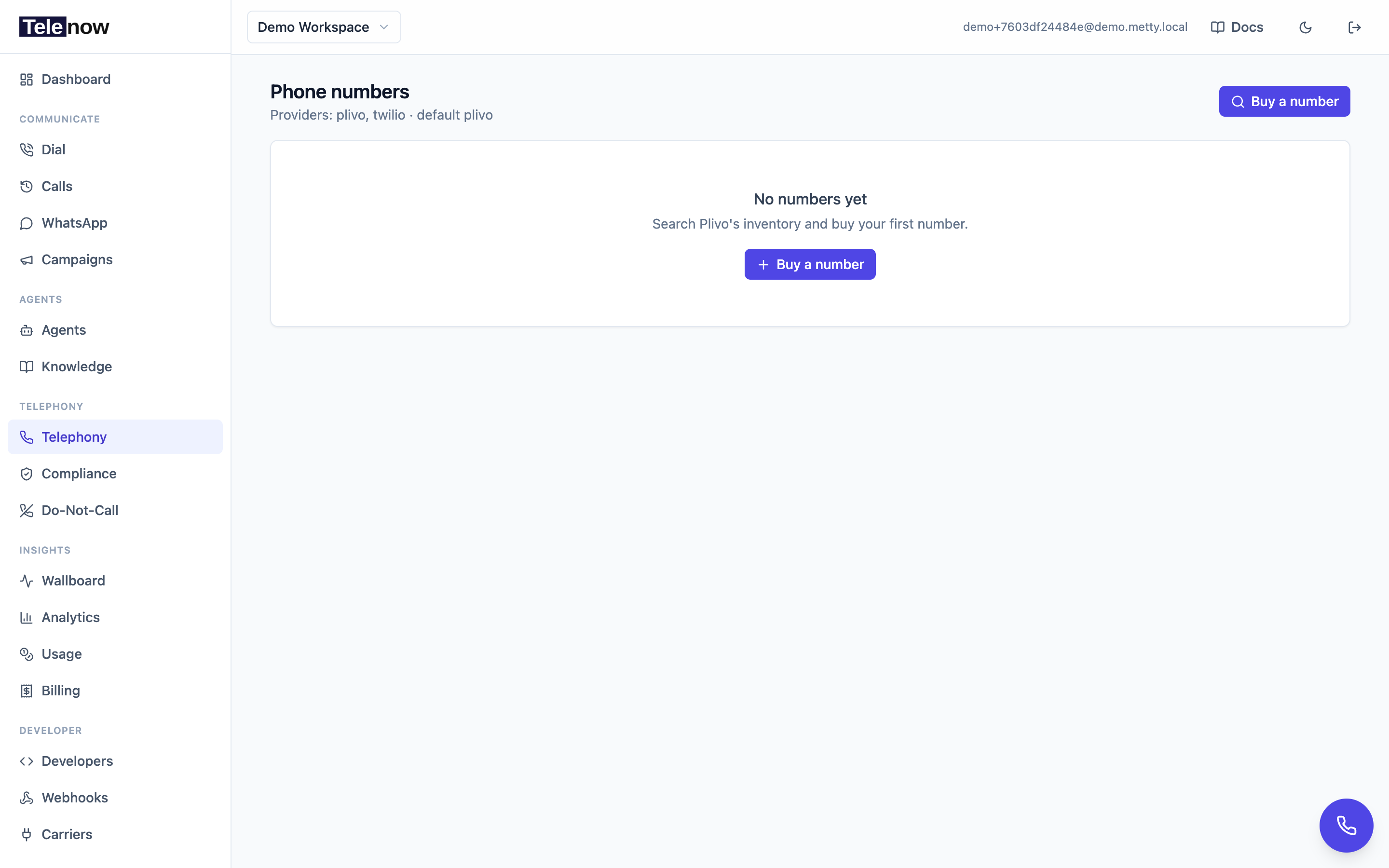
The Phone numbers page — your numbers, who answers each one, and the entry point to search and buy new ones.
Who can do this. Buying, releasing, assigning agents, connecting carriers, and managing trunks all require the developer, admin, or owner role (the
manage_numberspermission). Members and viewers can browse the list but the action buttons are disabled. See Team & workplace.
Searching & buying
- Go to Phone numbers in the sidebar and click Buy a number (top right).
- On the Search numbers page, choose your fields and click Search:
| Field | What it does | Default |
|---|---|---|
| Provider | Which carrier's inventory to search. Leave on Default to use your workspace's default provider. | Default provider |
| Country (ISO) | ISO 3166-1 alpha-2 code (IN, US, GB, …). | IN |
| Pattern | Optional digits to match (e.g. an area code like 415). | — |
| Type | local, mobile, tollfree, or national. Leave on Any to see everything. | Any |
- The results table lists each available number with its region, type, monthly rent, setup price, and capabilities (V = voice, S = SMS, M = MMS). Carrier list prices are quoted in USD and converted to your workspace currency (hover a price to see the carrier's raw USD figure).
- Click Buy on the number you want. It's purchased on the carrier, charged against your wallet, and added to your workspace immediately.
Billing gate. A number purchase spends money like a call does. A suspended account or an empty prepaid wallet can't buy a number (the monthly rent is also charged each cycle against the same balance). See Billing & usage.
If the country/provider needs regulatory paperwork, the Buy button is gated until you attach an accepted compliance application — see Compliance below.
Assigning a number to an agent
- Click a number in the list to open its detail page.
- Under Agent mapping, click Assign agent (or Change agent), pick an agent, and confirm.
From then on, inbound calls to that number are answered by the agent, and outbound calls placed from it use it as the caller ID. Click Unassign at any time to free the number.
Inbound is exclusive. A number either answers with its AI agent or rings a team member — never both. Assigning an agent is rejected with 409 Conflict ("This number is allocated to a team member for inbound calls…") while a member holds the number for inbound, and the mirror case — allocating a number to a member for inbound — is rejected the same way while an agent is bound. A member may still use an agent's number as their outbound-only caller ID (that allocation has
receive_callsoff, so it doesn't claim inbound and never blocks). Switch a member's allocation to outbound-only, or remove it, under Settings → Workplace first. See Team & workplace.
Inbound connection check
A number must be routed to Telenow at the carrier for inbound calls to reach the platform. On the Phone numbers list, click Check connections to ask each carrier's API whether the number points at our application (this makes live carrier calls, so it runs on demand, not on page load). Each row then reads Connected, unknown, or shows a Reconnect / Set up link.
On a number's detail page the Inbound connection card shows the live status and lets you fix it:
- Reconnect re-points a purchased number's routing at the platform.
- Disconnect detaches it (hidden for Twilio, which doesn't support detach).
- For BYOC numbers we can't change routing on your behalf — the card shows the Answer URL to set on your own carrier number (or its Plivo Application). Once set, it flips to Connected on the next check.
Compliance
Most numbers buy instantly. US, UK and Canadian local and toll-free numbers are available to purchase immediately — there is no paperwork gating the Buy button. What governs US calling is how you call (consent, calling hours, DNC), covered in US calling compliance, not buying the number.
Some markets do require regulatory documentation before a number can carry traffic — India is the common case for Plivo, and Twilio enforces Regulatory Bundles for India and several European/APAC markets. Where it applies, Telenow walks you through it; see the dedicated Compliance page for the full flow. In short:
- Go to Compliance → New and pick the provider, country, number type, and end-user type.
- For India, the end-user type must be business — individuals can't register Indian local/mobile/tollfree numbers, and the carrier returns "no compliance requirement found" for them.
- Telenow fetches the exact documents the carrier requires for that scope and renders an upload field per requirement. Requirements marked file required need an actual file.
- An Additional documents section is always available so you can attach files even when the carrier returns no predefined requirement. It comes pre-seeded with the two documents Indian business numbers typically need — Certificate of Incorporation / Udyam registration and GST certificate — which you can edit, remove, or add to.
- Fill in the end-user details (name, address, registration number) and Submit. Telenow tracks the application status and refreshes it from the carrier.
Once an application reaches accepted, link it to a number — either pick it on the Search page before buying, or use Link compliance application on the number's detail page. Buying or porting a regulated number without an accepted application will be rejected by the carrier.
Providers
Numbers can live on any of six carriers — Plivo, Twilio, Vobiz, Exotel, Vonage, Tata Tele Smartflo — or on your own SIP trunk, and every feature works identically across them. See Telephony providers for the comparison and credential details, and SIP trunking for trunk-attached DIDs.
SIP trunks aren't a purchasable carrier. You don't search or buy DIDs on a trunk — you enter each DID by hand (in E.164) on the trunk after your carrier confirms it routes to Telenow. See SIP trunking.
Bring your own carrier (BYOC)
Under Developers → Carriers you can store your own Plivo, Twilio, Vobiz, Exotel, Vonage, or Tata Tele Smartflo credentials and import the numbers on that account. Calls then run over your carrier account (your rates, your trunk) while Telenow handles the media, agent pipeline, and recording. This is useful if you already have carrier relationships or need specific routing. Credential details per provider are listed in Telephony providers.
Inbound routing
When a number is shared across a team, Telenow can ring the right person:
- Designate a primary receiver, or route to whoever last answered on that number.
- Calls ring members who are present (signed in and available); see Team & workplace.
- If no one answers, the call falls through to the assigned agent or a configured missed-call message.
Releasing a number
Open the number, click Release, and confirm. The number is released back to the provider (and removed from any agent or member mapping). This can't be undone. For a number on a SIP trunk, use Release on the trunk's DID chip instead; deleting a whole trunk releases all of its DIDs.
Tips
- Run Check connections after buying or after any carrier-side change — a number that isn't routed to Telenow won't answer and won't even record a missed call.
- A web-only agent won't answer inbound PSTN calls. If a number is bound to a web-only agent, callers hear the no-agent message — reallocate the number or widen the agent's channels in the builder.
- Keep your compliance applications ahead of your number needs in regulated markets; approval is off-platform and can take time.
API
Everything here is available over the API — search, purchase, list, assign/unassign, the connection check, releasing, and the full compliance flow. See the Phone numbers API, Carriers (BYOC) API, and Carriers & trunks API for SIP trunks.